Browse the guides
Plans and billing
Choose a plan, change it, and manage payments and invoices.
Who manages billing
People with the Billing role choose and pay for your plan. The person who signed up has it, and admins can give it to others (see Inviting and managing people).
Open Billing in the sidebar, or go to flash-reference.com/billing. It opens in its own tab; Back to Flash Reference returns to the admin area. People who only manage billing land on the billing page when they sign in.
Plans
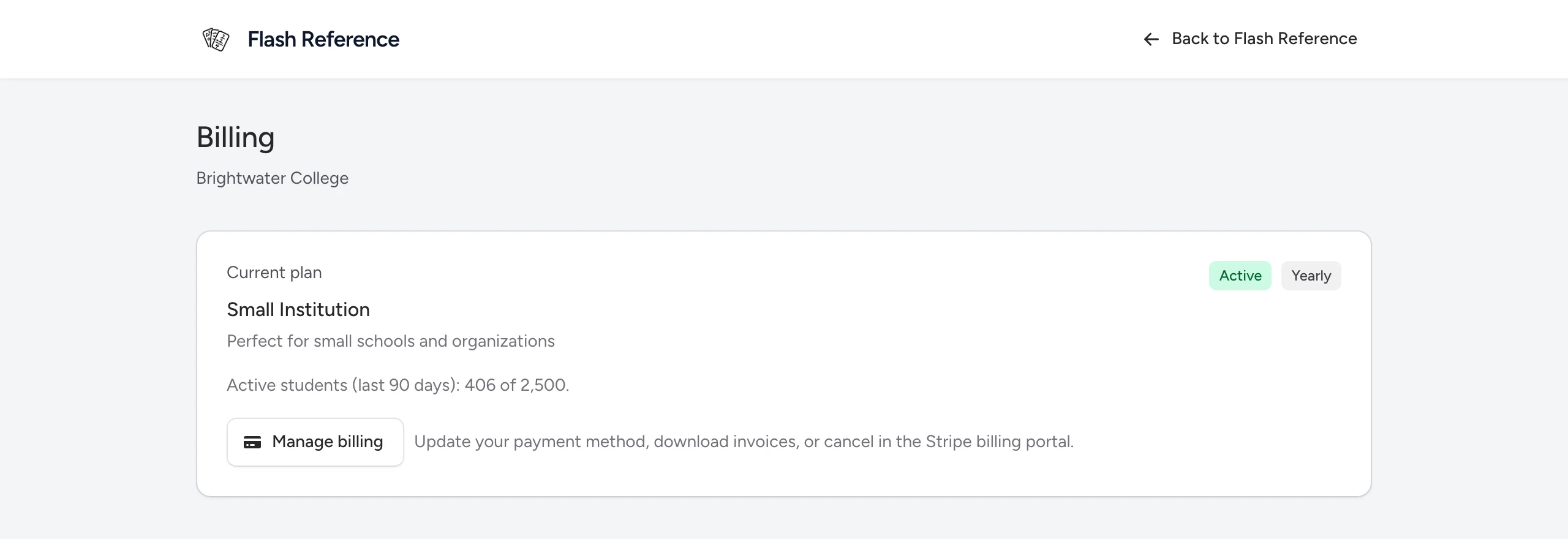
Plans differ in how many active students they include, whether they include collaborators, shared decks and multiple admins, and whether they're billed monthly or yearly. The billing page shows every plan with its current price; you can also see them on our pricing.
Choose a plan
- On the billing page, choose Monthly or Yearly (some plans are yearly only).
- Select Subscribe on a plan.
- Pay with Stripe, our payment provider. If you have a promotion code, enter it there.
- Back in Flash Reference, the page confirms your subscription. It usually takes a few seconds.
Your LMS connection stays on for as long as the subscription is active.
Change plans
Under Change plan, select Switch plan on the plan you want, or switch between monthly and yearly, and confirm. Changes take effect straight away: the difference is worked out for the rest of your billing period, and charged or credited to your payment method today.
Payment method, invoices and cancelling
Select Manage billing to open Stripe's billing portal, where you can:
- update your card or other payment method,
- download invoices and receipts,
- cancel your subscription, or resume one you've cancelled.
A cancelled subscription keeps working until the end of the period you've paid for, and the billing page says when it ends.
If a payment fails
The billing page says Your latest payment failed. Select Update payment method; Stripe tries again. Your LMS connection keeps working while Stripe retries.
If your plan ends
When a subscription ends, students can't open your decks from your LMS until you choose a plan again. Your decks, cards and results are kept.
Have a question about plans, or need one that isn't listed? Contact us.