Browse the guides
Emails and announcements
Emails about your decks' first student and weekly results, announcements from us, and how to turn them off.
Flash Reference emails you about your decks, and sends news from our team. You can turn each kind off.
The emails about your decks
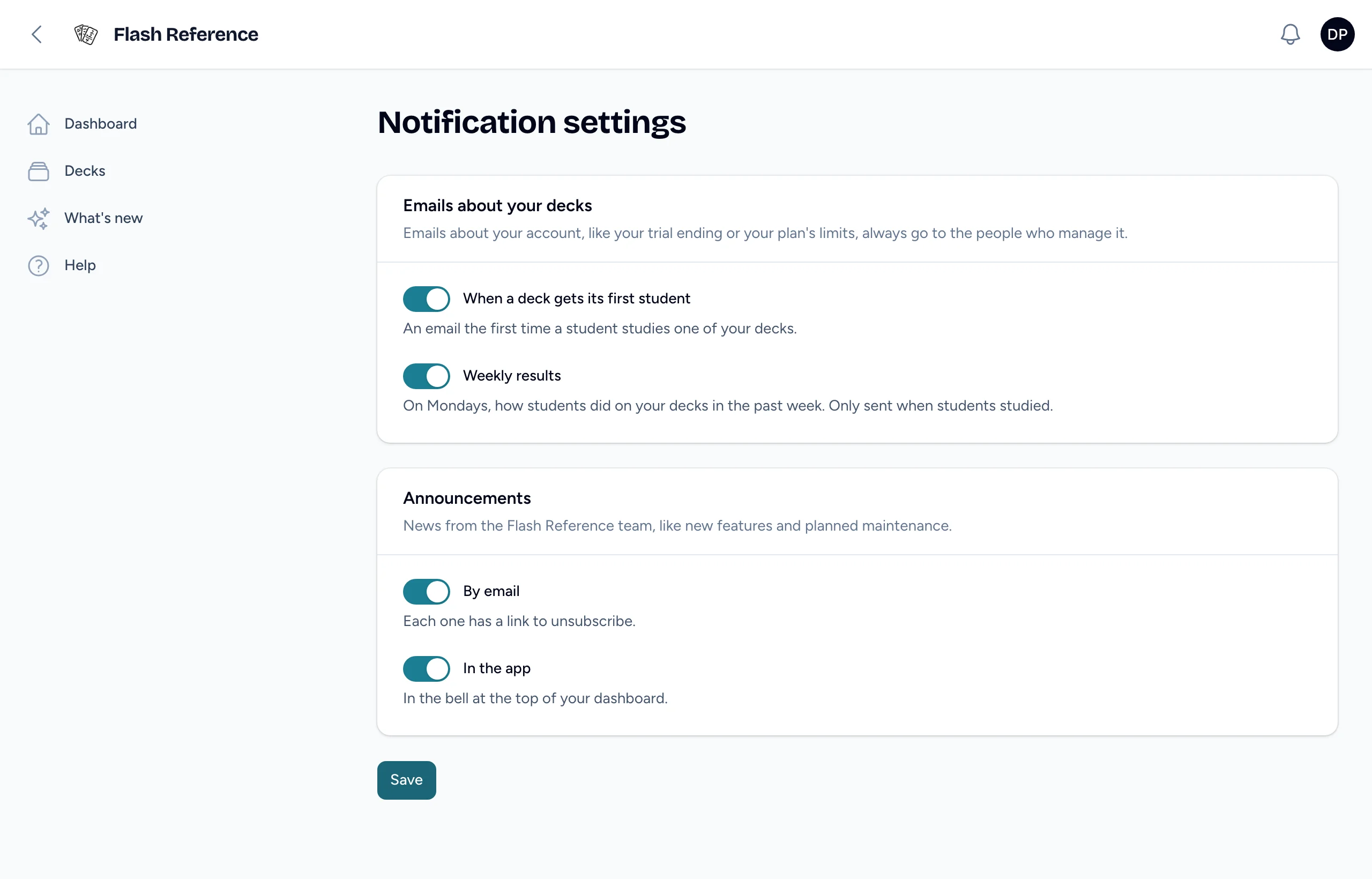
- When a deck gets its first student: sent once per deck, the first time a student studies it, with a link to its results.
- Weekly results: on Mondays, how students did on your decks in the past week: students, marks, the share marked Know it, and the hardest cards, for up to five decks. Only sent in weeks when students studied.
Both go to the deck's owner, not to collaborators. They have counts only, never students' names.
Announcements
Now and then we send instructors and admins news about Flash Reference, like new features or planned maintenance. They can come two ways:
- In the app: in the bell at the top of your dashboard. Select it to read your notifications. If an announcement has more than fits there, View announcement opens the whole thing.
- By email: to your email address.
You get both until you turn one or both off.
Turn them on or off
- Select your name in the top corner, then Notification settings.
- Turn When a deck gets its first student or Weekly results on or off. Under Announcements, turn By email or In the app on or off.
- Select Save.
You can also select Unsubscribe at the bottom of any of these emails. That works without signing in, and turns off only that kind of email. Unsubscribing from announcement emails leaves them on in the app.
Emails about your organization's account, like the trial ending or the plan's limits, go to the people who manage it, and can't be turned off here.