
Browse the guides
Your organization's decks
See every deck in your organization and its results.
Decks in the sidebar lists every deck in your organization, whoever made it.
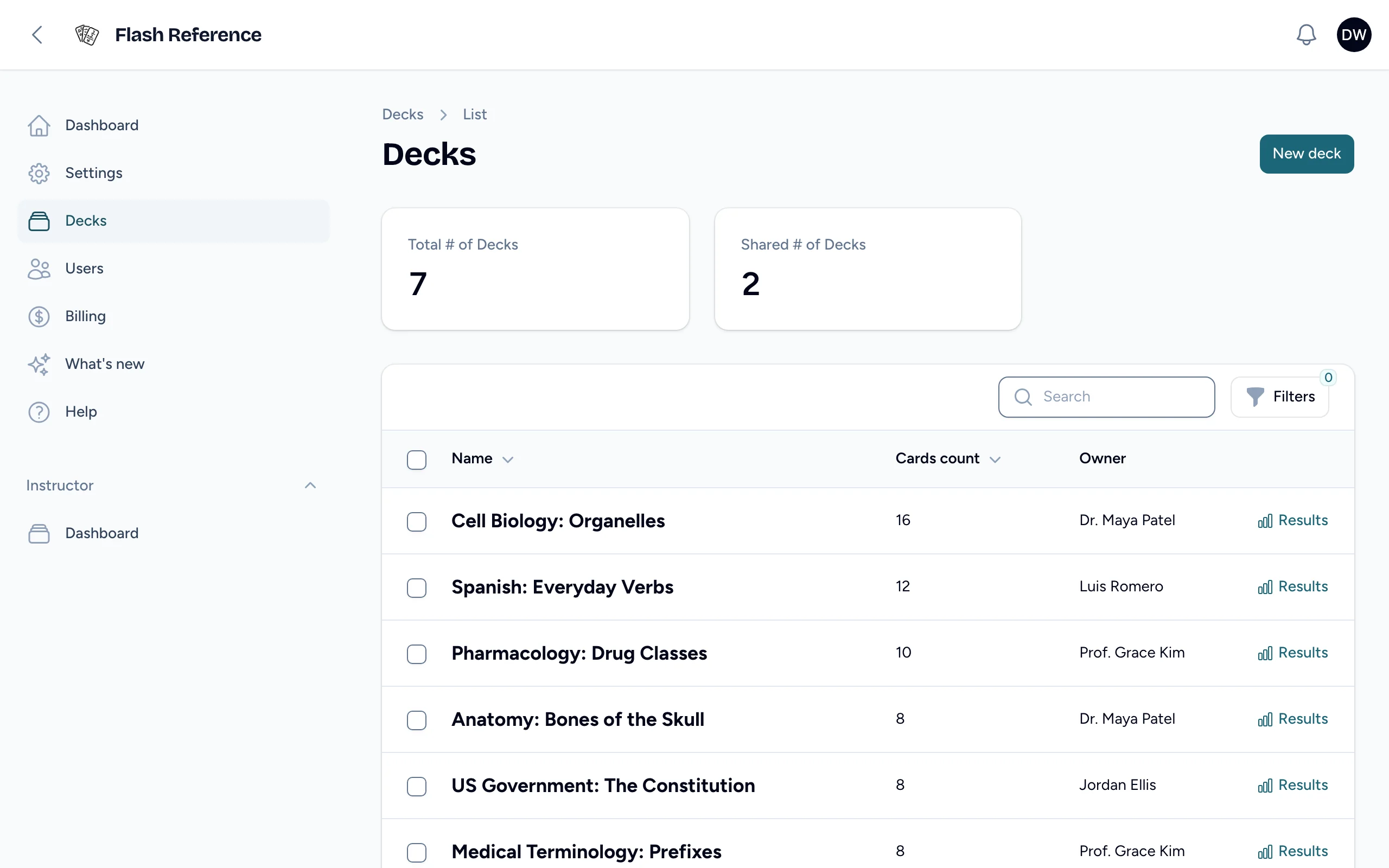
- The totals at the top show how many decks there are, and how many are shared with the whole organization.
- Select Filters to show one instructor's decks.
- Results on a deck's row opens its results. See Reading your results for what each part means.
What admins can change
As an admin you can see every deck's results, but you can only edit decks you own or collaborate on. An instructor's decks are theirs: to help with one, ask them to add you as a collaborator. See Folders, collaborators and sharing.
Make a deck for someone
New deck creates a deck with any instructor in your organization as its Owner. It appears in their list of decks, ready for cards. To work on it yourself as well, add yourself as a collaborator.
Usage across decks
The admin home's Most-used decks (30 days) compares decks by how many students opened them, and can be downloaded as a spreadsheet. See The admin home.