
Flashcards that live in your course
Build a deck once and add it to Canvas, Moodle, Brightspace, Blackboard, Schoology or your WordPress site. Students study right where they learn, and you see which cards they're still learning.
30-day free trial No credit card needed
Works inside the learning platforms your school already uses
- Canvas
- Moodle
- D2L Brightspace
- Blackboard Learn
- Schoology
- WordPress
Plus any LMS that supports LTI 1.1 or 1.3.
How it works
From your notes to your students in three steps
No new logins for students: they open a deck from the course they’re already in.
-
Step 1: Make a deck
Type your cards, paste a list, or upload a spreadsheet. Add images, hints and your own card colors.
-
Step 2: Put it in your course
Connect your LMS once, then add decks from inside any course. On WordPress, paste a shortcode into a page.
-
Step 3: See what’s sticking
Every deck has a Results page: each student’s progress, the cards your class finds hardest, and a weekly email.
For students
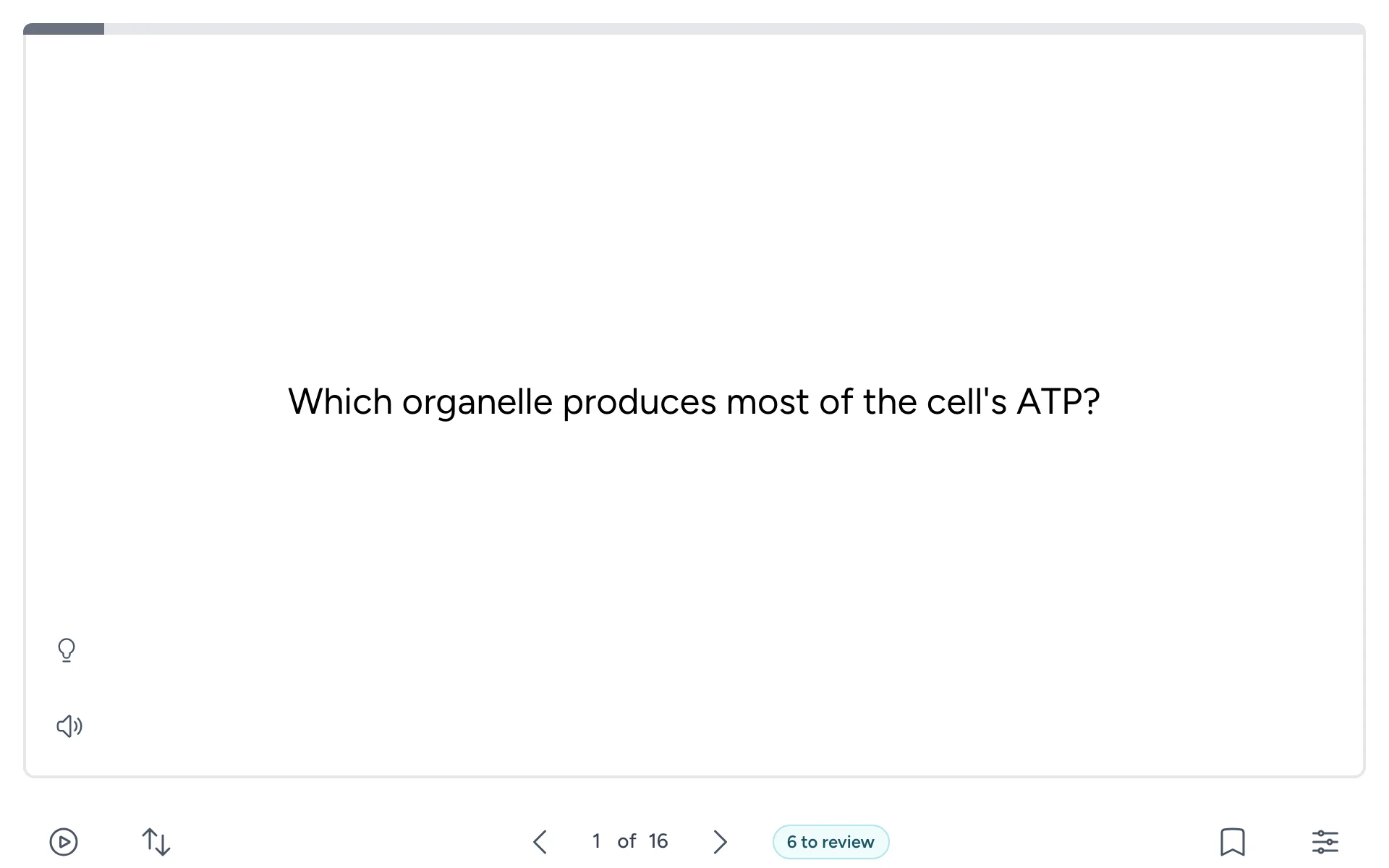
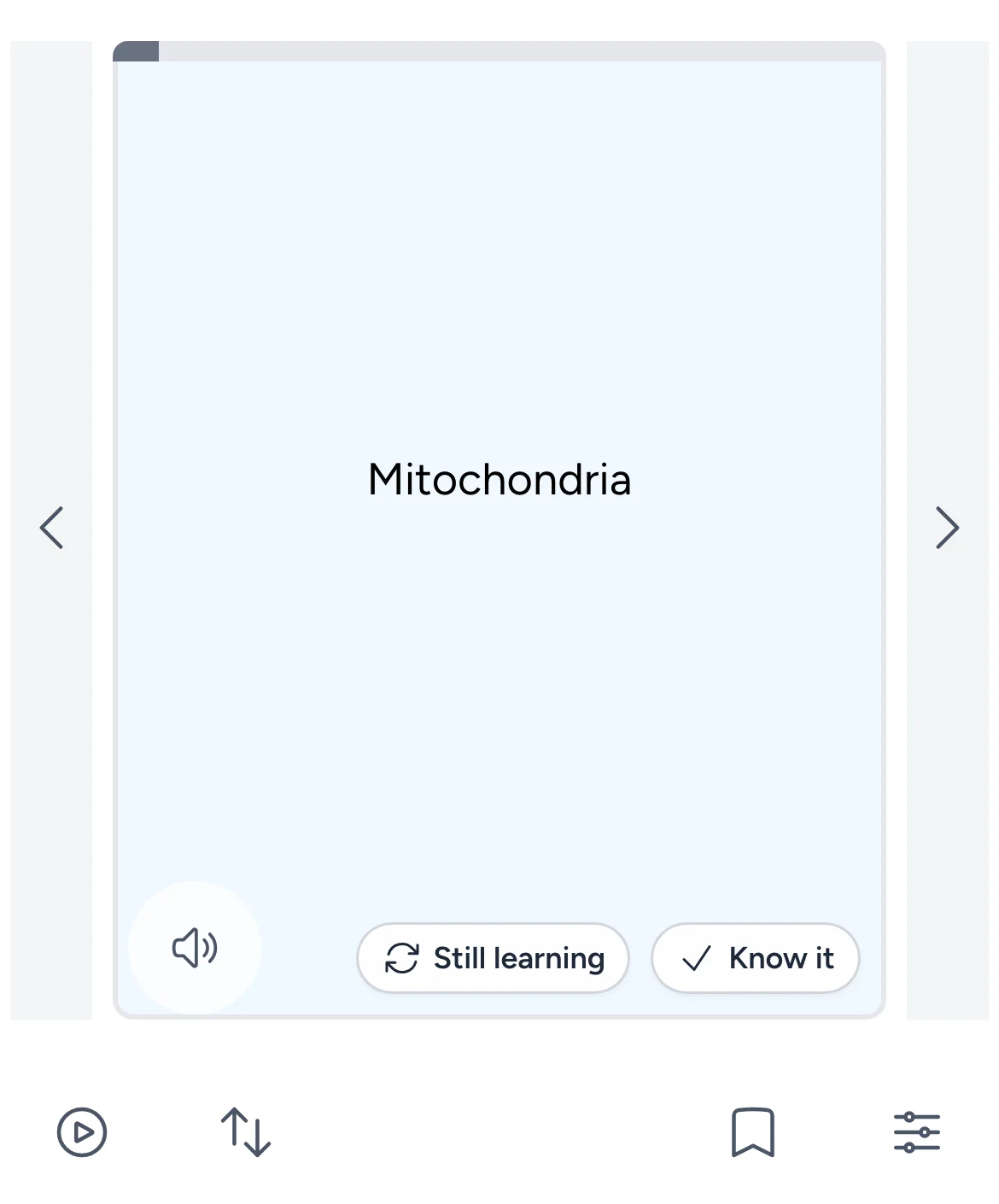
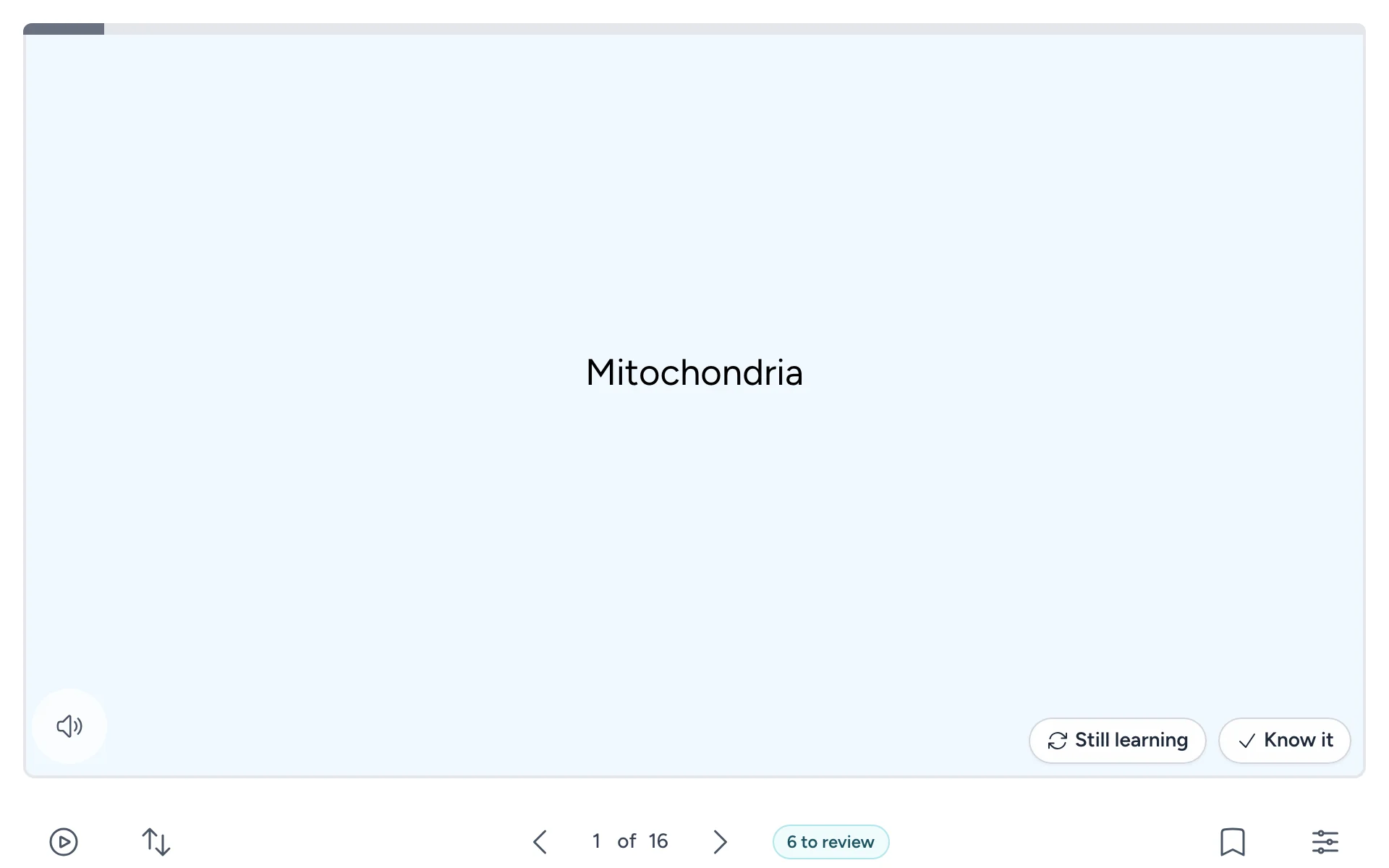
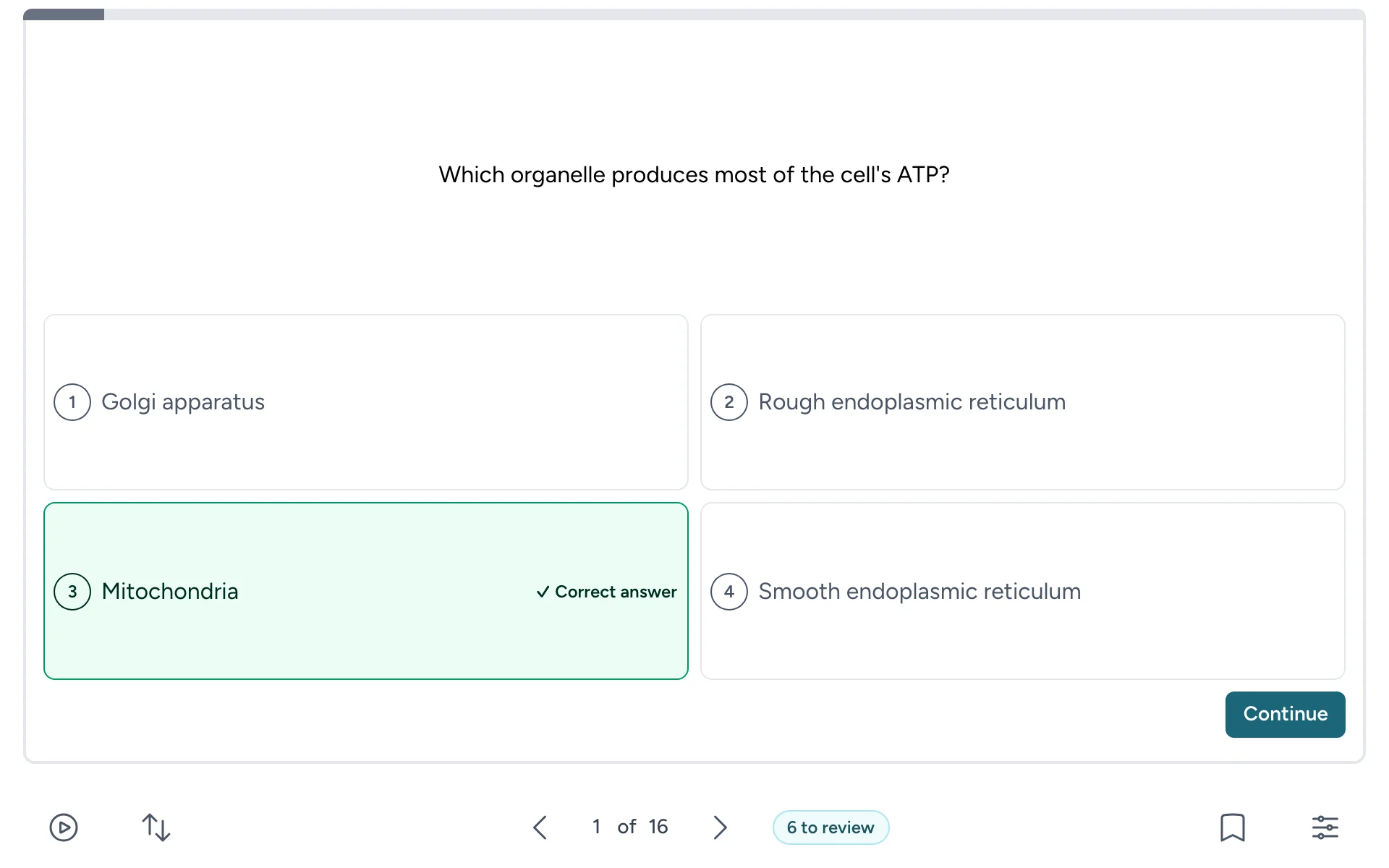
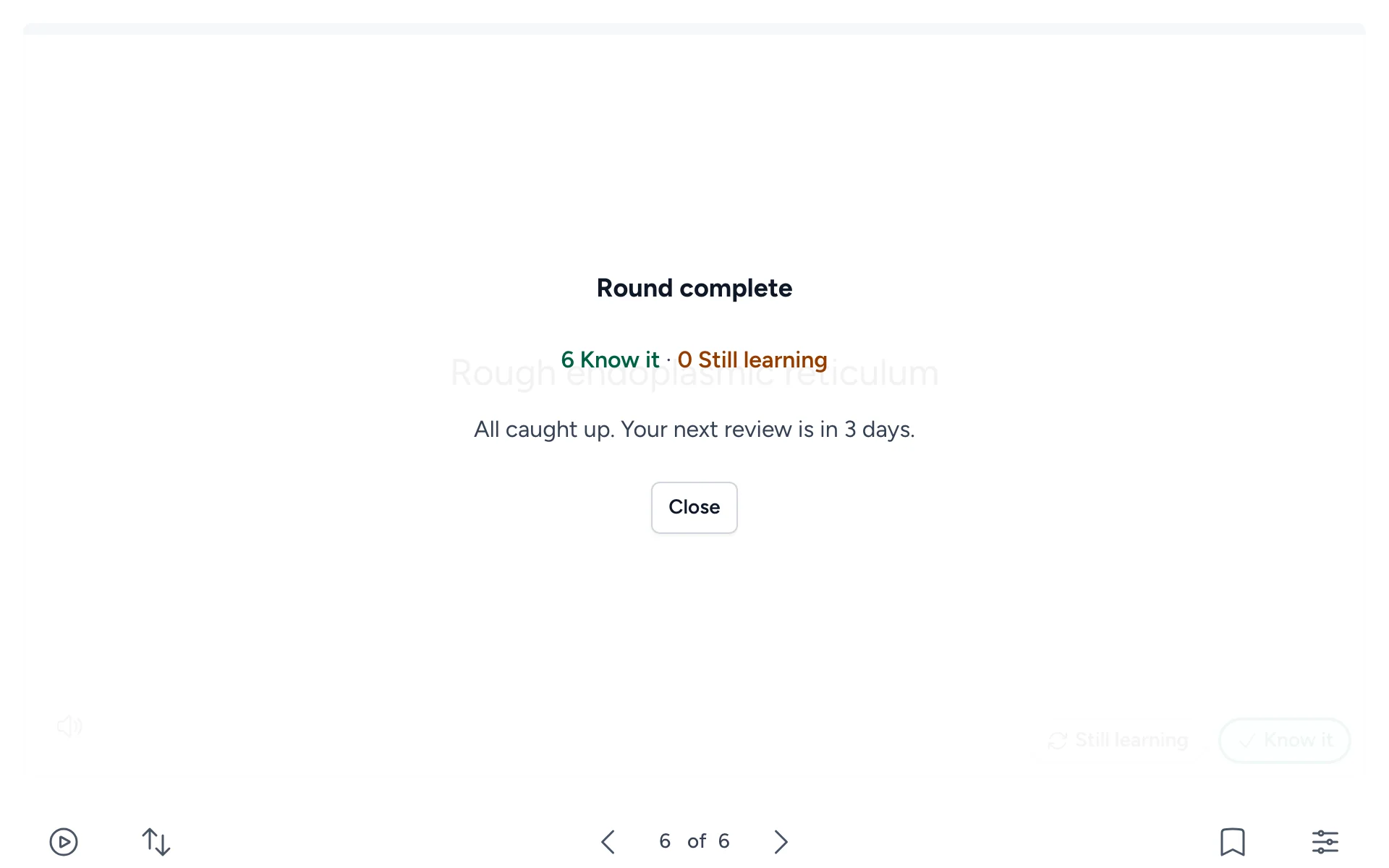
Three ways to study, one deck
You write the cards once. Students pick the way they want to study, and the deck remembers how each card went.
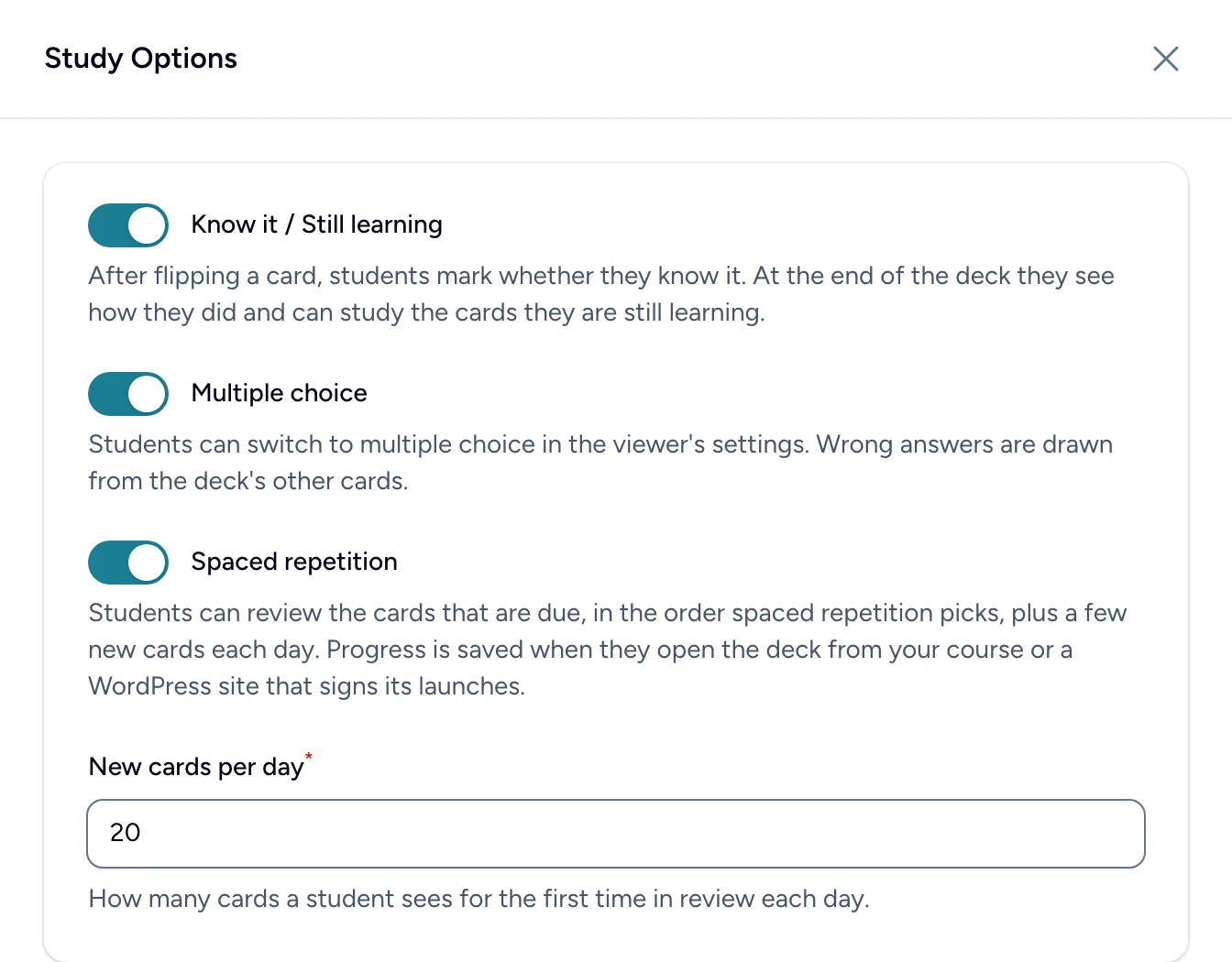
You choose which modes each deck offers in its settings.
-
Read aloud
Cards can be read out in the deck’s language.
-
Hints
A nudge before the answer, when you add one.
-
Bookmarks
Save tricky cards and study only those.
-
Shuffle
Mix up the order, then put it back.
-
Auto advance
Hands-free review, one card after another.
-
Keyboard shortcuts
Space to flip, arrows to move, 1 and 2 to mark.
-
Made for phones
Swipe between cards on any screen size.
-
Any language
Including right-to-left scripts like Arabic and Hebrew.
For instructors
See what your class is still learning
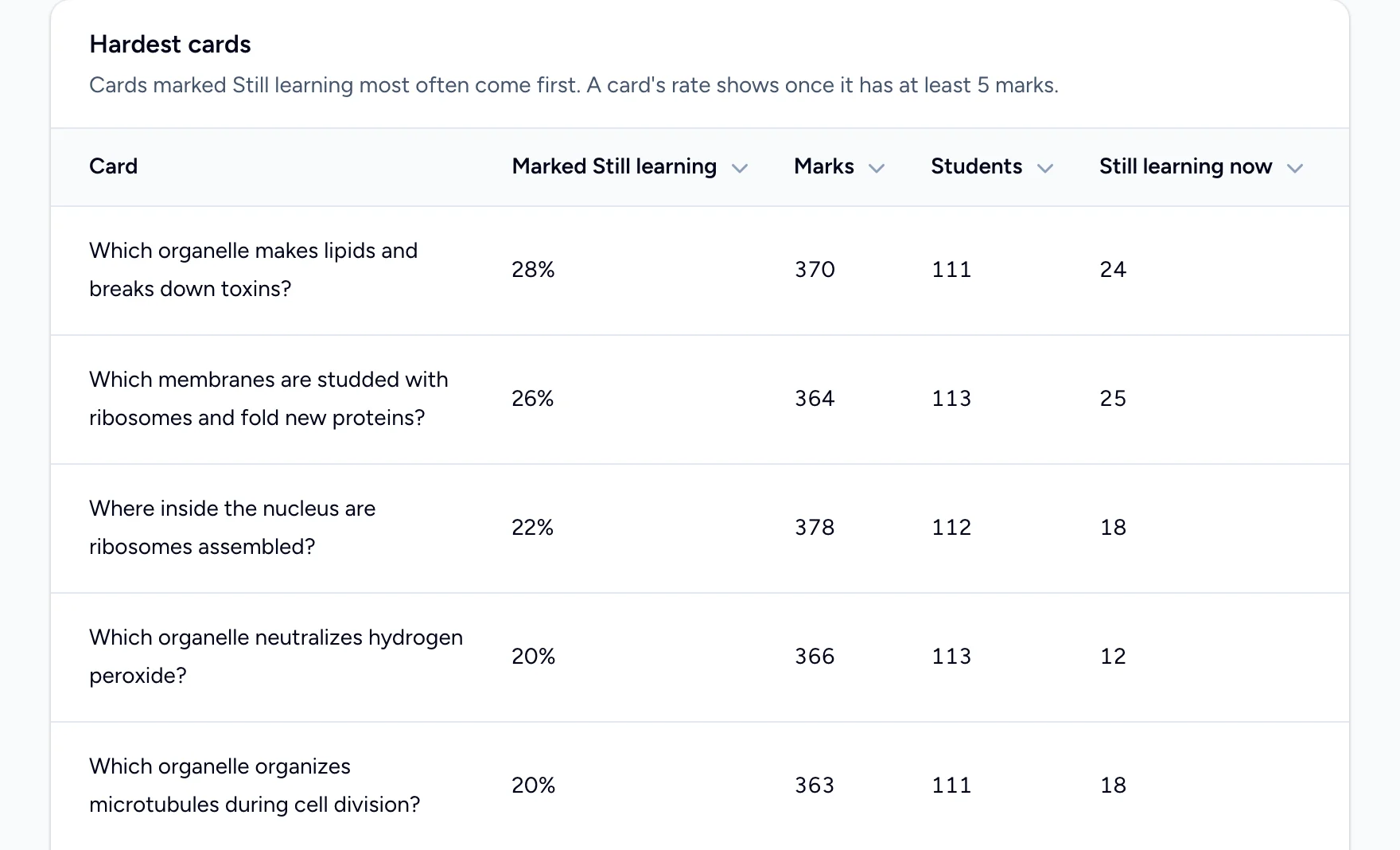
Each deck’s Results page turns every Know it and Still learning into something you can teach from.

Results for every deck
Filter by course or period, and the totals, chart and tables all follow.
- Every student by name, grouped by the course they opened the deck from.
- Who has cards due for review, and who knows the whole deck.
- CSV downloads of any table for your own records.
- A Monday email with last week’s activity, and a note when your first student studies a deck.
Know what to go over in class
The cards your students mark Still learning most often come first, with how many are still learning each one right now. It’s a ready-made list for your next review session.
Build a deck in minutes
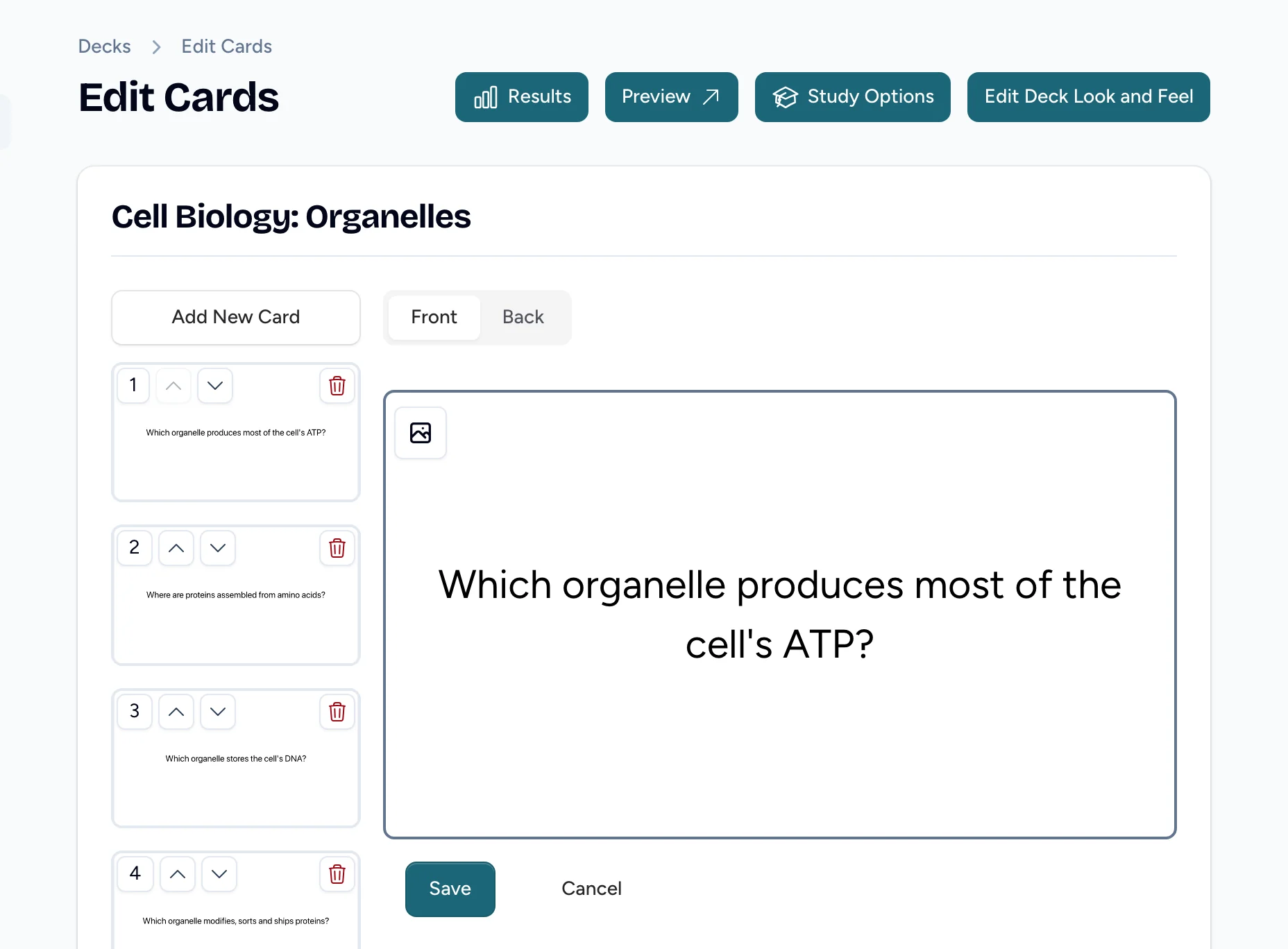
Write cards the way you’d write them on paper, then make them look the way you want.
- Text, images and hints on either side of a card.
- Paste a list or upload a CSV to make a whole deck at once.
- Your own colors, alignment and card languages.
- Turn multiple choice and spaced repetition on per deck.
- Preview exactly what students will see.
- Share decks with colleagues and add collaborators, on plans that include them.
For schools and departments
One place for your whole institution
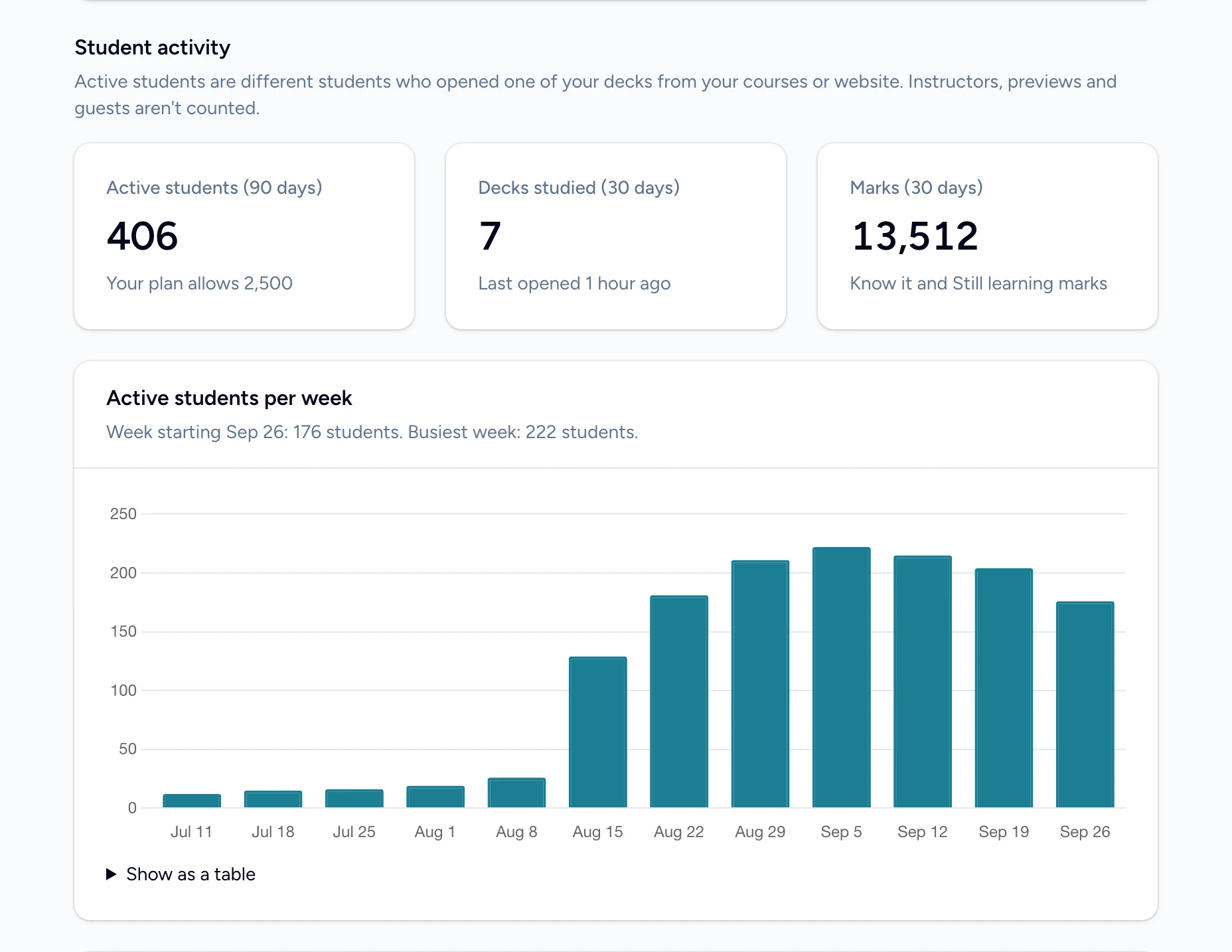
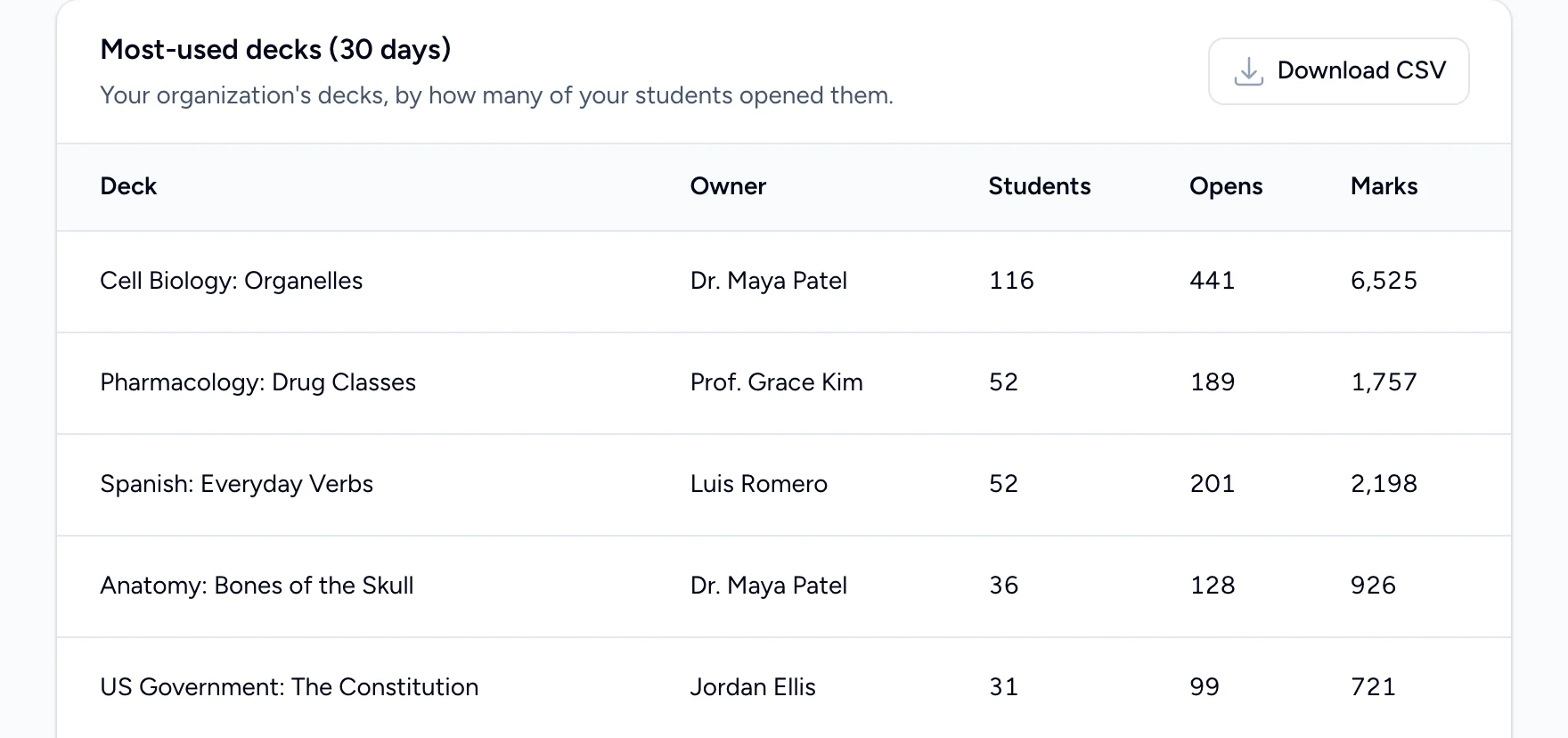
Admins see how Flash Reference is used across every course, and look after accounts and billing without a support ticket.
- Active students against your plan. We email you as you get close to the limit. Students are never locked out.
- Your most-used decks, who owns them, and how much they’re studied.
- Invite instructors and admins by email. They set their own password.
- A setup checklist from connecting your LMS to your first student studying.
- Billing online: change plans, update cards and download invoices yourself.
Integrations
Set up once, use in every course
An admin connects your LMS one time. After that, any instructor can add decks to their courses, and students go straight to the cards.
- LTI 1.1 and LTI 1.3, including registration URLs
- Names and courses come from your LMS, so results are grouped by class
- Decks stay behind your LMS sign-in
-
Canvas
Choose decks from a list while you build a module. Students open them without another login.
-
Moodle
Add decks as activities, picking each one from a list of your decks.
-
D2L Brightspace
Add Flash Reference as an external learning tool for your whole institution.
-
Blackboard Learn
Register Flash Reference as an LTI tool provider for your courses.
-
Schoology
Add Flash Reference as an external tool provider for your school.
-
WordPress
Install our plugin and paste a shortcode into any page. Visitors can study as guests, or sign in to save progress.
Accessibility, privacy and security
Ready for your school’s review
-
Built to be accessible
The card viewer works from the keyboard, announces each card to screen readers, and respects reduced-motion settings. Our WCAG 2.2 AA conformance report says plainly where we still fall short.
Read our accessibility statement -
Private by default
Students reach decks through your LMS or your own website. We don’t use student data for marketing or advertising, and detailed study records are deleted after 12 months.
Read our privacy policy -
Secure launches
Every LMS launch is signed and checked before a student sees a card. All traffic is encrypted, passwords are hashed, and data is backed up regularly.
How we keep data safe
Pricing
Simple plans for a class or a campus
Every plan starts with a 30-day free trial, with no credit card needed. Prices are in US dollars.
For individual instructors
-
Single Class
All the basics for teachers with a single classroom of students
$50 /year
or $5 a month
- Up to 35 active students
- Unlimited decks and cards
- Every study mode and results
-
Multiple Classes
All the basics for a single teacher with multiple classes
$100 /year
or $10 a month
- Up to 120 active students
- Unlimited decks and cards
- Every study mode and results
- Collaborators who help edit your decks
For schools and institutions
-
Small Institution
Perfect for small schools and organizations
$1,995 /year
- Up to 2,500 active students
- Unlimited decks and cards
- Every study mode and results
- Collaborators who help edit your decks
- Share decks with other instructors
- More than one admin
-
Medium Institution
Ideal for medium sized universities
$4,995 /year
- Up to 10,000 active students
- Unlimited decks and cards
- Every study mode and results
- Collaborators who help edit your decks
- Share decks with other instructors
- More than one admin
-
Large Institution
Ideal for large universities or organizations
$9,995 /year
- Up to 25,000 active students
- Unlimited decks and cards
- Every study mode and results
- Collaborators who help edit your decks
- Share decks with other instructors
- More than one admin
Need room for more students, or something custom?
We’ll put together a plan that fits, and help you get your LMS connected.
Active students are the different students who opened one of your decks from a course or website in the last 90 days. Instructors, previews and guests aren’t counted, and students are never blocked if you go over.
Questions
Good to know
Something else? Ask us.
Do students need an account?
Which learning platforms does it work with?
What counts as an active student?
Do marks go to the LMS gradebook?
Can I try it before paying?
Can several instructors share decks?
Make your first deck today. Your students can study it tomorrow.
Start a 30-day free trial, no credit card needed. We’re happy to help you connect your LMS.