Browse the guides
Reading your results
See who's studying, how they're doing, and which cards are hardest.
Each deck's Results page shows who has studied it and which cards students find hard. Open it with Results at the top of the card editor. For all your decks at once, see your dashboard.
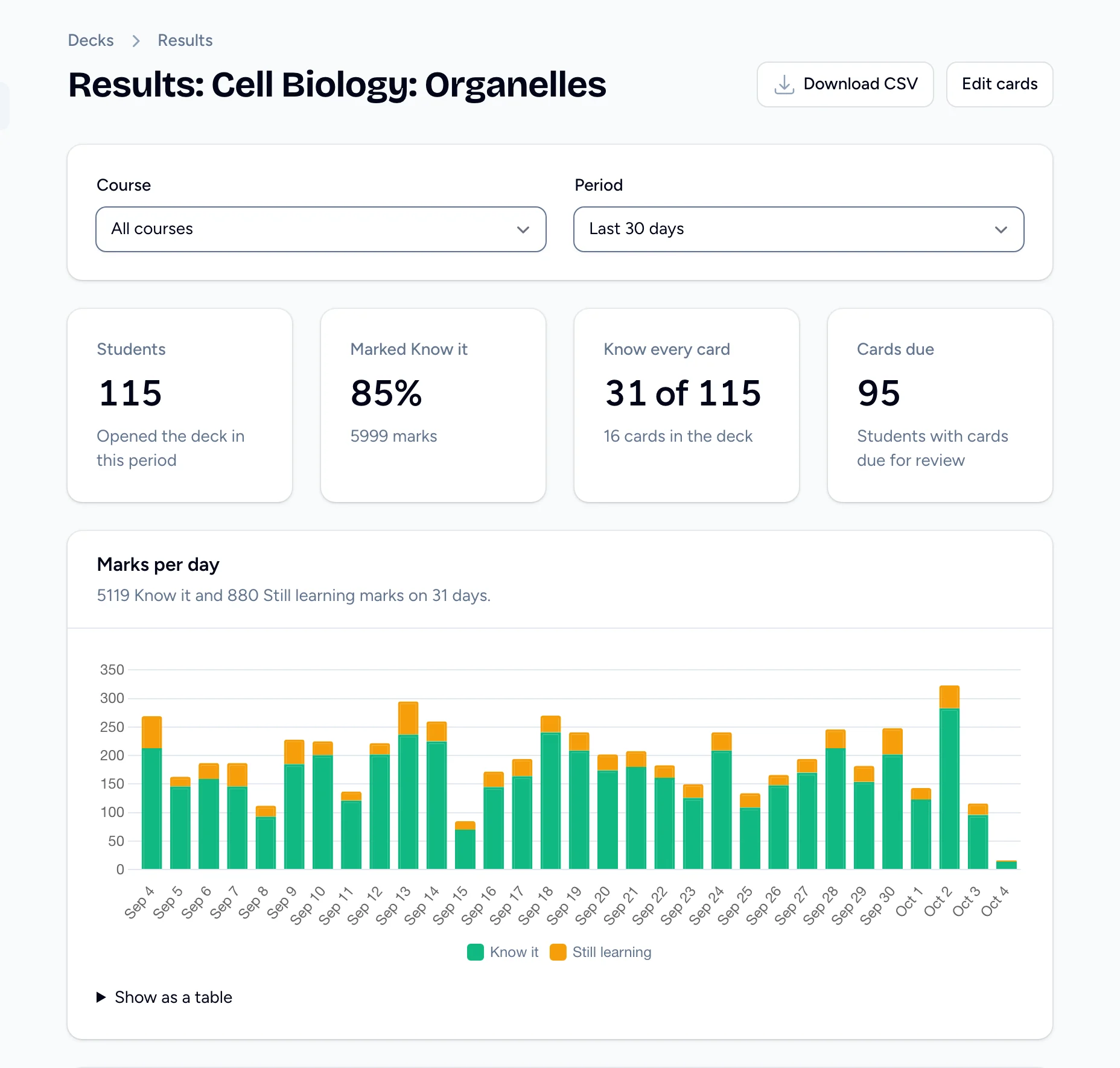
Choose what to look at
- Course shows students from one course, or WordPress, or Other links. All courses is the default.
- Period is the last 7, 30 (the default) or 90 days.
The totals
| Total | What it counts |
|---|---|
| Students | Students who opened the deck in the period. |
| Marked Know it | The share of marks in the period that were Know it, and how many marks there were. |
| Know every card | Students whose last mark on every card is Know it. |
| Cards due | Students with cards due for review. Shown when spaced repetition is on. |
| Other organizations | Opens from other organizations' courses, which aren't shown here. Only shown when there are some. |
Marks per day charts the Know it and Still learning marks for each day. Select Show as a table to read the numbers.
Students
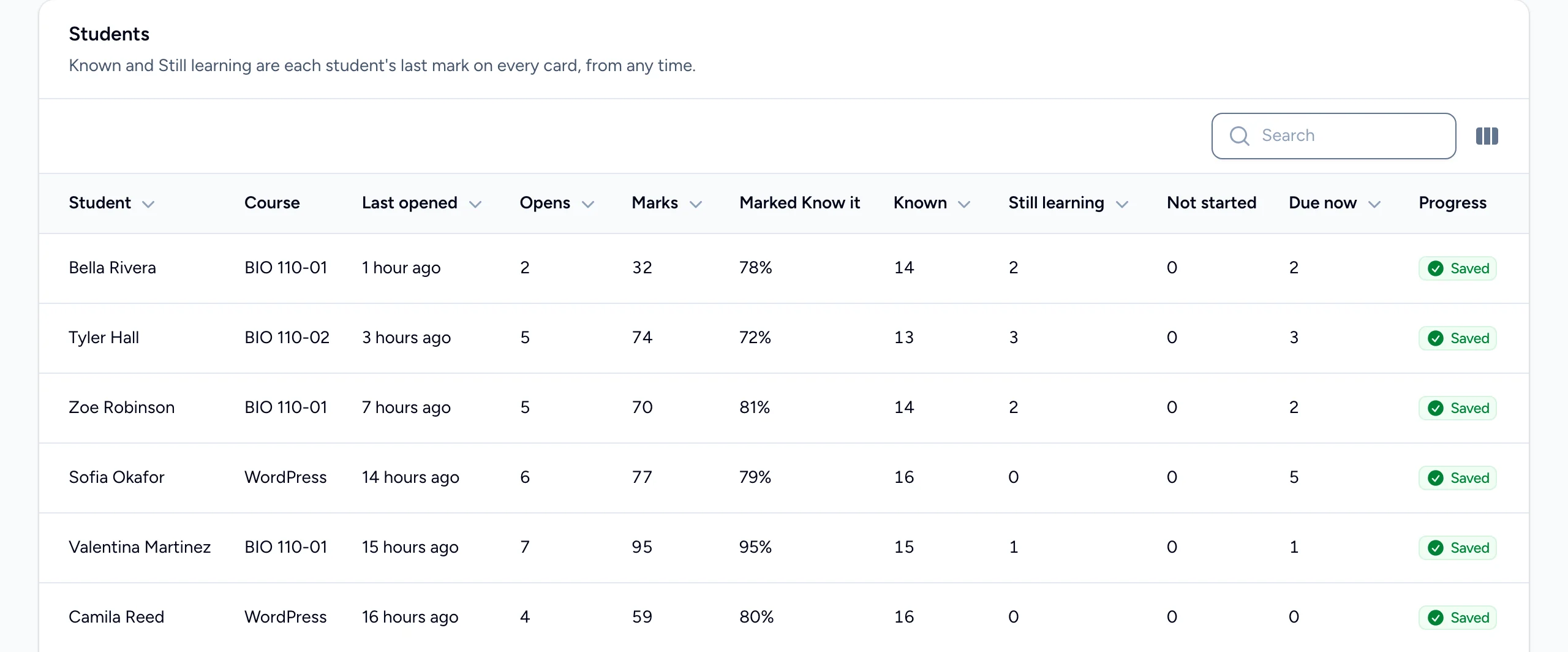
One row per student who opened the deck in the period:
- Last opened and Opens: when they last studied it and how often.
- Marks and Marked Know it: marks in the period, and the share that were Know it.
- Known, Still learning and Not started: each student's latest mark on every card, from any time.
- Due now: cards due for review (with spaced repetition on).
- Progress: Saved, or Not saved for students who opened the deck where progress isn't kept, such as a WordPress site without signed launches.
Search by name or email. The Email column is hidden; turn it on from the table's column menu.
Hardest cards
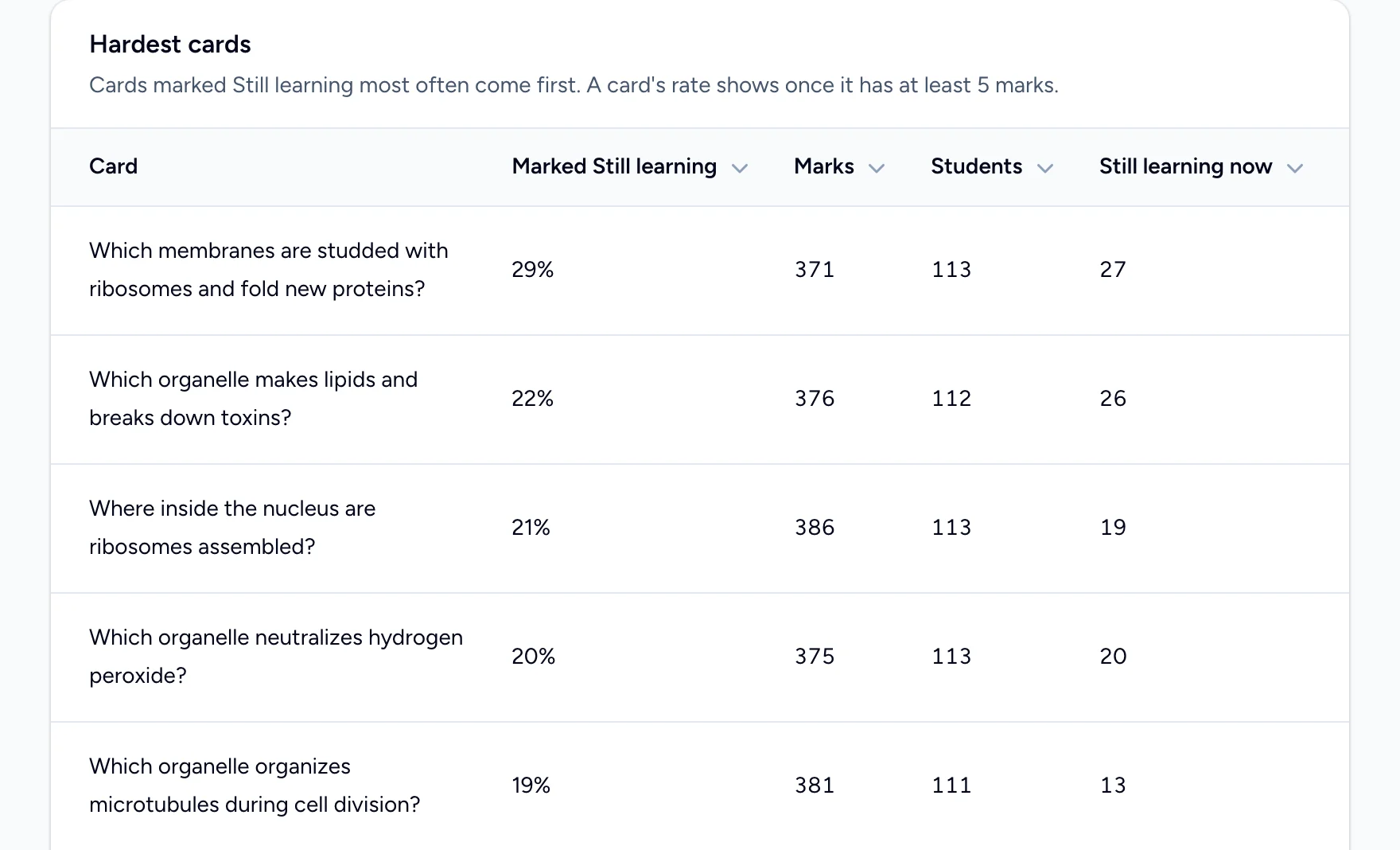
Cards marked Still learning most often come first. A card's rate shows once it has at least 5 marks. Still learning now counts students whose latest mark on the card is Still learning. Use this to see what to go over in class, or which cards need rewording.
Download the results
Select Download CSV and choose Students or Cards. The file uses the course and period you've chosen.
Who's counted
- Only students who open the deck from your organization's courses or website.
- Not you, your collaborators, other instructors, previews or website guests.
- Marks are kept for 12 months.
Your organization's admins can see this page too, without being able to edit the deck.